
ARTWORK AND ORDERING GUIDE
Prepare artwork for a custom printed NFC sticker order.
Use this preparation guide once you have chosen a sticker format. For a broad shape, size and application comparison, begin with the custom NFC sticker collection.
Four decisions to prepare
Format
Match your design to the selected shape and size.
File
Provide a high-resolution PNG/JPG or print-ready PDF.
Destination
Choose the appropriate URL the NFC connection should open.
Readiness
Check spelling, design and content before confirming production readiness.
Match the design to its footprint
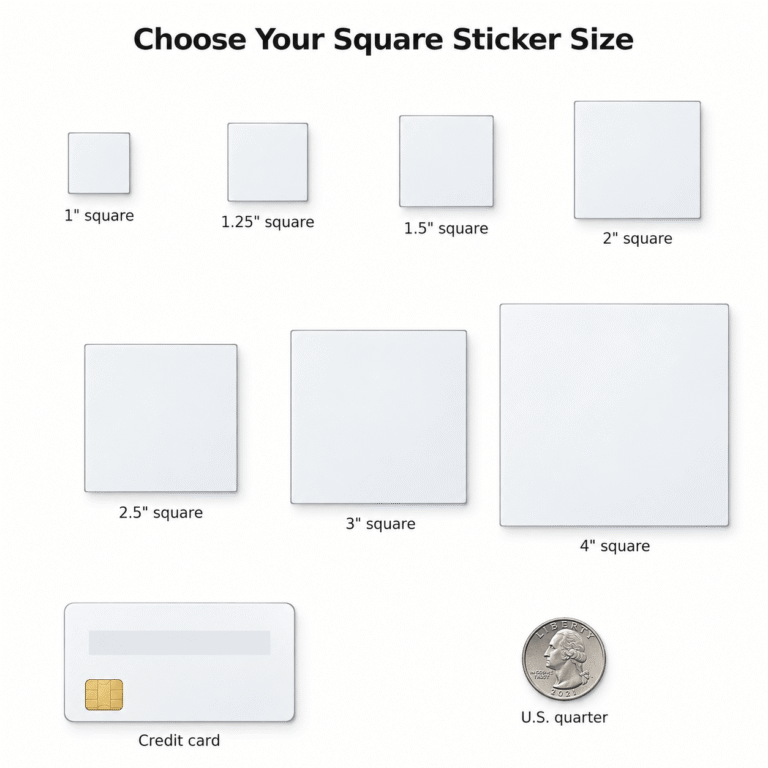
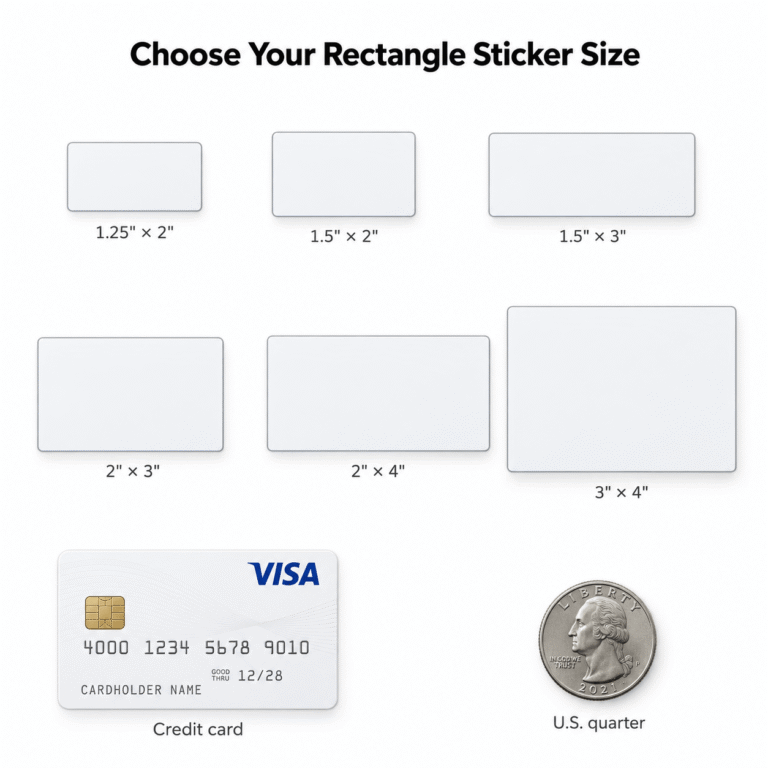
The live product selectors define the exact available dimensions. Confirm placement suitability and any project-specific artwork needs before ordering.
Choose the ordering route
Artwork ready
Upload the final design on the printed sticker product and confirm it is ready for production.
Artwork help
Select the current help option, order and email support with your order number.
Repeat order
Use the existing secure reorder form with the previous order number and billing email.
What happens after ordering
Print-ready artwork may proceed after internal preflight. If we prepare or modify artwork for production, we send a digital proof for your approval before printing. Keep your order number when contacting support.
The free promotional sample follows a different submission route: artwork and URL are emailed after checkout. It has no upload field.
Preparation questions
Which file should I upload?
A high-resolution PNG/JPG or print-ready PDF is recommended. Use the actual product upload controls and contact support if you are unsure about a file.
Do you print changed artwork without approval?
Production artwork that we prepare or modify requires digital proof approval before printing.
Where can I reorder a previous design?
Use the existing secure reorder workflow. It requires the previous order number and billing email; the public guide does not retrieve customer orders.
Put the preparation into an order
Need a repeat order? Start a secure reorder.